Tools
Tools can be accessed via the wrench icon on the top toolbar.
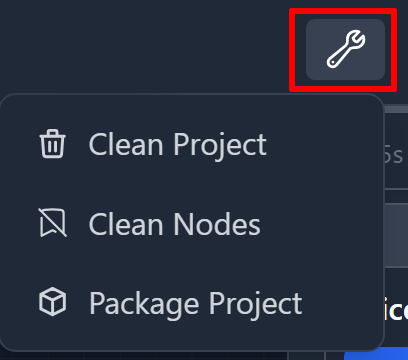
They are designed as quality-of-life utilities to help maintain, clean, and package your projects more efficiently.
Clean Project (Assets)
When activated, this tool scans your project’s Assets Folder and lists all unused assets.
You can then delete these files directly by clicking the red “Clean” button.
You can monitor asset usage via the bottom status bar:

Assets: x / y
- X: Assets currently in use (linked to StoryTiles connected to the main flow)
- Y: Total number of assets inside the project’s Assets Folder
Clean StoryTiles
This tool automatically removes StoryTiles not connected to the main project flow.
Package Project
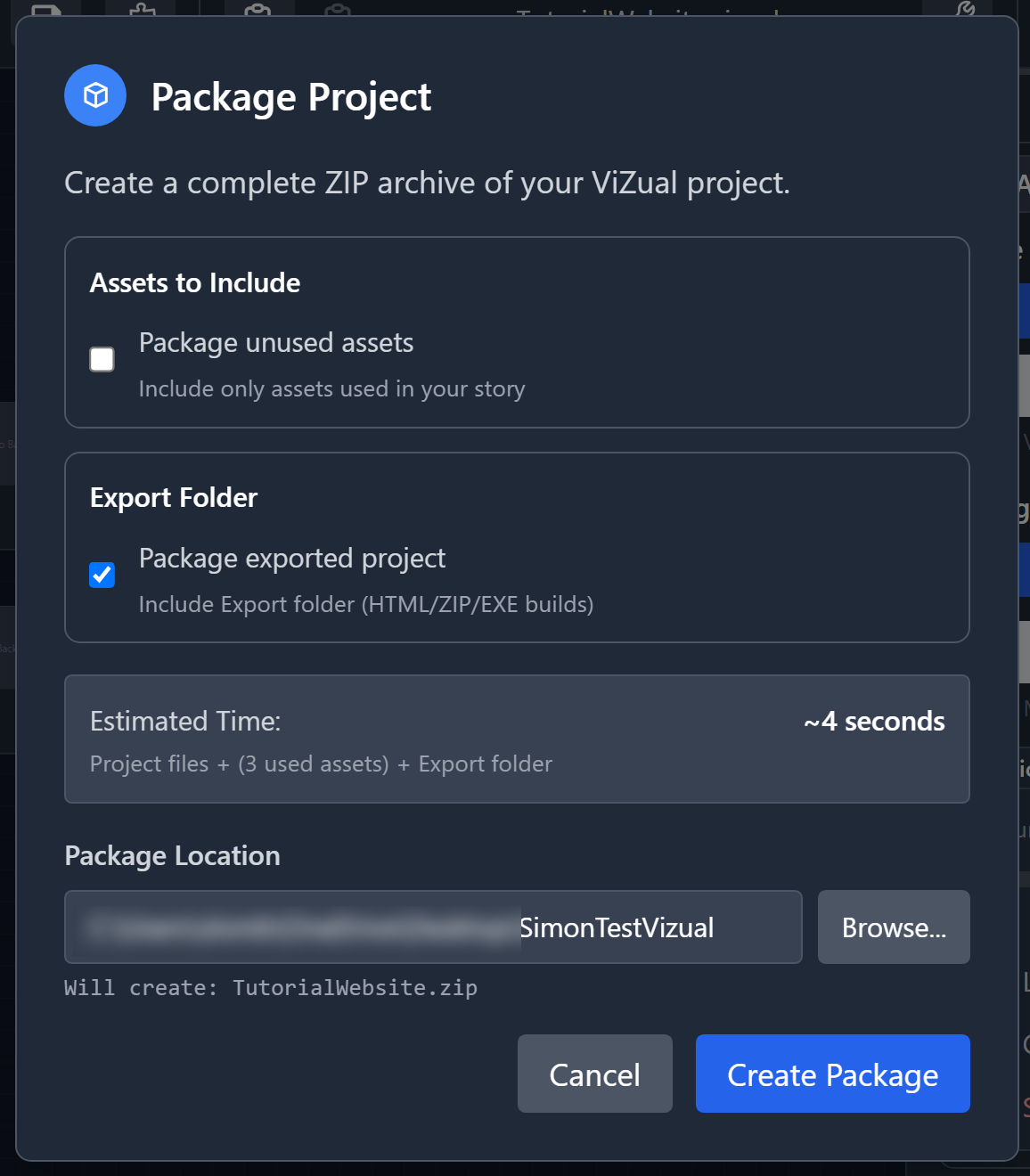
This tool allows you to package your entire project into a .zip file for easy sharing or backup.
The packaged file will include everything required for another ViZual™ installation to open it seamlessly.
You can choose between two additional options:
-
Package Unused Assets —
If checked, all assets inside the project’s Assets Folder will be included, even unused ones.
If unchecked, only the assets actually used by the project will be packaged. -
Package Export Folder —
Includes the Export Folder (compiled builds) in the final package.
The resulting .zip file will be named after your project.
A preview of the final file name is displayed in the packagin
ViZual™ and Singular Echo™ are trademarks of Singular Echo Inc.